SMS to Slack vs Heymarket

Both give your team one place to text customers. Heymarket is a separate texting app. SMS to Slack puts the conversation in Slack, where your team already works.

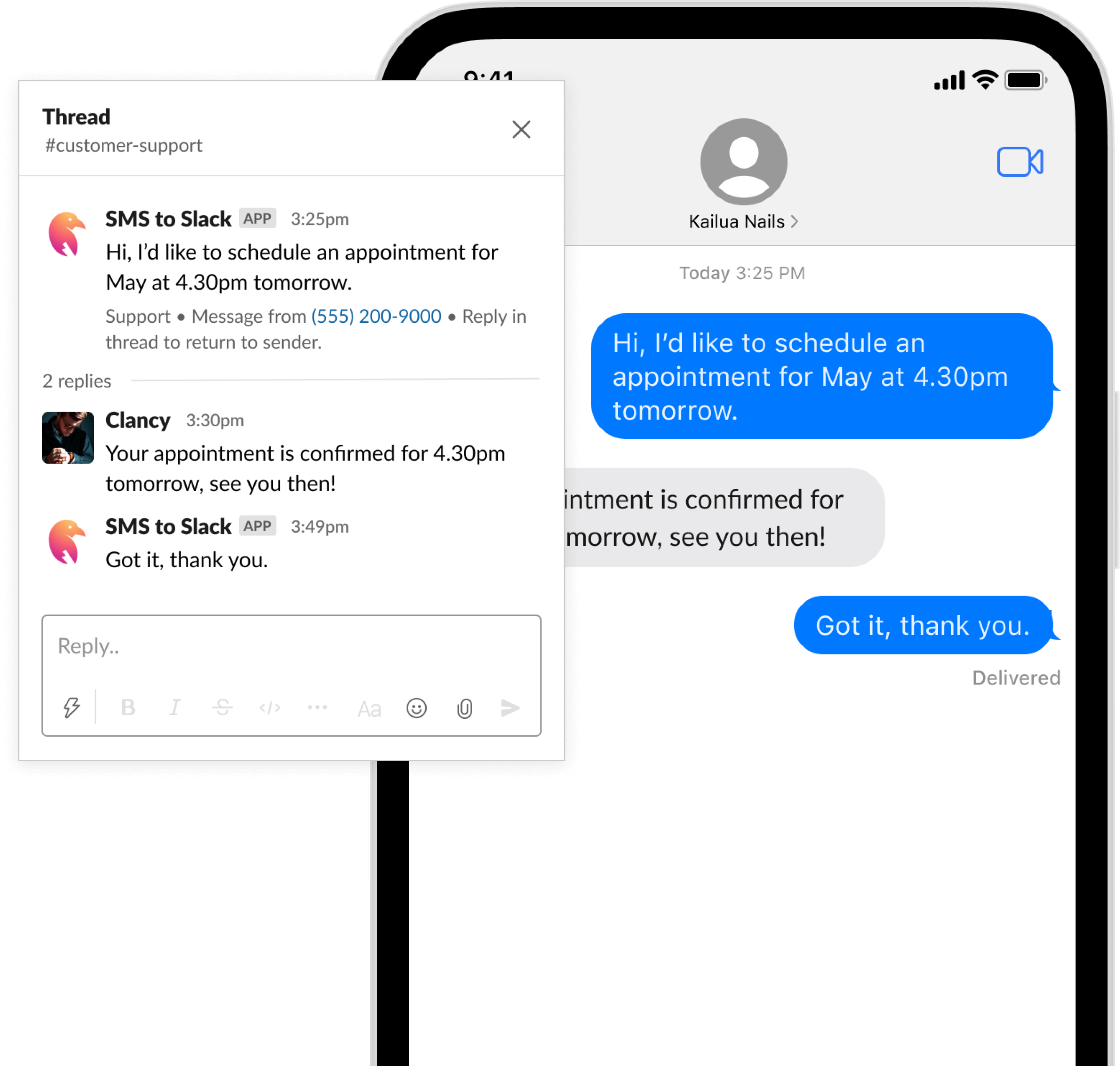
A customer text in a Slack thread, with a reply from the team

Comparison

The two at a glance

The main difference is where your team reads and answers texts.

Where your team replies
SMS to Slack: In a Slack thread, one thread per conversation
Heymarket: In the Heymarket inbox
Apps to check
SMS to Slack: Only Slack. Slack is the inbox.
Heymarket: Heymarket, next to the chat tool your team already uses
Who can reply
SMS to Slack: Anyone in the Slack channel
Heymarket: People with access to the Heymarket inbox
Pricing
SMS to Slack: $10 per number per month, plus a fee per message part. No seats, no contracts.
Heymarket: See Heymarket's pricing page
Free trial
SMS to Slack: A number for 7 days and up to 50 messages, no card required
Heymarket: See Heymarket's site

Heymarket changes its product and prices over time. Check Heymarket's own site for its current features.

Your texting inbox, inside Slack

No new app to learn. Here is what your team gets on the first day.

Every conversation is a thread.

Each inbound SMS or MMS goes to the Slack channel of the number. Reply in the thread and your answer goes out as a text. The full history stays in one place, so a teammate can take over at any time.

Replies in a Slack thread

Photos, audio and video.

MMS arrives in the same thread as the text. Customers can send a photo of a problem, and your team sees it next to the conversation.

An MMS photo in a Slack thread

Know who is texting.

Give contacts a name, and Slack shows the name instead of a bare phone number. Group messages let you text several people at once.

Contact names on messages in Slack

Two-way texting, threads and group messages depend on the number you choose and its country. US numbers may need an approved 10DLC campaign before replies are delivered.

Choose

Which one fits your team?

Choose SMS to Slack if

Your team already works in Slack.
Texts arrive where the rest of your work happens.
You do not want one more app.
There is no extra login and no extra inbox to check.
You want to pay per number, not per person.
Anyone in the channel can reply at no extra cost.
You also get calls and alerts.
Voicemails come to Slack as transcripts. Texts from short codes and services arrive too.

Choose a separate texting app if

Some people who text customers do not use Slack.
A separate app does not need a Slack seat for each person.
You want texting apart from internal chat.
Some teams prefer to keep customer messages in a separate tool.
You need a feature that only a texting platform has.
Compare the feature lists before you decide.

Pricing

Pay per number, not per person

Everyone in the channel can reply, and you never pay for seats. No contracts, cancel any time.

See full pricing
per phone number per month
$10
per message part, or per call minute
10¢

Free trial: a number for 7 days and up to 50 messages, no card required. Paid plans are billed from the day you upgrade.

FAQ

Questions

Do my customers need Slack?
No. Your customers send and receive normal text messages. Only your team uses Slack.
Which Slack messages go out as texts?
Only replies in a thread that an inbound text started. Other messages in the channel stay in Slack.
Can I keep internal notes next to a conversation?
Every reply in the thread goes to the customer as a text. Discuss internally in a different thread or channel.
Does SMS to Slack help with US 10DLC registration?
Yes. You can register your 10DLC brand and campaign from inside Slack. Carrier fees apply. Read the 10DLC FAQ for details.
Which countries do you support?
The US, Canada, the UK and Australia, and more countries after extra verification. See the list on the homepage .
How long does the setup take?
Add SMS to Slack to your workspace, pick a number and choose a channel. Most teams finish in under 10 minutes.

Keep reading

Get started in
under 10 minutes

Say goodbye to the chaos of using your phone to handle all communication. Move all messaging communication to Slack, where you can keep all conversations organized and accessible to your entire team.

100% free to get started
Bring your own phone number
Friendly email support

“Streamlined the SMS workflow for our team in just a couple of minutes!”

Anthony Accomazzo
Anthony Accomazzo
Founder at Sequin.io

Join hundreds of happy customers

Add to Slack